Blog · 8 min read
5 Naming Checks Developers Need for aria-label vs aria-labelledby

The core difference is simple: aria-label hard-codes a string directly on the element, while aria-labelledby points to existing text already in the DOM. As a rule of thumb, prefer visible text and aria-labelledby whenever a suitable label already exists on the page. Reach for aria-label only when there’s no visible text to reference at all, like an icon-only button.
TL;DR:
aria-labelledbyshould be prioritized when a visible label exists nearby, as it automatically updates the accessible name when the referenced text changes.Use
aria-labelonly for icon-only controls, decorative regions, or when no visible text is available, to prevent desynchronization of sighted and assistive technology users.Combining
aria-labelandaria-labelledbyon a single element creates conflicts, with the hierarchy favoringaria-labelledbyand potentially causing stale or inconsistent names.Manual testing with screen readers remains essential to verify that names are announced correctly, despite automated accessibility scans.
Automating accessible name checks through tools like AccessWiser can help maintain naming consistency across large sites and prevent common mistakes.
Table of Contents
What Does Aria-label Do?
aria-label sets an element’s accessible name directly, using whatever string you type into the attribute. It takes priority over native naming sources like an alt attribute or standard label association when both are present, and screen readers will always announce the aria-label value instead. That override behavior is a double-edged sword. Applied to an element that normally builds its name from child content, such as a button wrapping an icon and hidden text, aria-label will silence that inner content entirely for assistive technology users, even though sighted users still see it on screen.
You’ll find aria-label doing legitimate work in a few common spots:
-
Icon-only buttons with no visible text (a close “X” or a trash-can delete icon)
-
Landmark regions like
<nav>or<section>that have no visible heading -
Custom widgets where the visual design doesn’t include a text label
Pro Tip: Before typing a string into aria-label, check whether the element already has visible text nearby. If it does, referencing that text is almost always the better move.
What Does Aria-labelledby Do, and How Is It Different From a Native Label?
aria-labelledby takes one or more space-separated IDREFs and concatenates the text content of those referenced elements into a single accessible name. Unlike aria-label’s static string, this value is not the label itself. It’s a set of pointers to elements already living in your markup, and it carries the highest precedence of any naming source a browser will compute.

That precedence brings a maintenance advantage most teams underuse: update the visible text once, and the accessible name updates automatically everywhere it’s referenced.
A few things aria-labelledby does not do:
-
It does not replicate the click-to-focus behavior native
<label>elements give form controls automatically -
It does not create a visual relationship. The connection only exists in the accessibility tree
-
It does not skip hidden content. Elements hidden with
display: noneor thehiddenattribute still get pulled into the computed name if referenced
Pro Tip: If you need aria-labelledby to also move focus to a control on click, you’ll have to add that behavior yourself with a small script. Native <label> gives it to you for free.
How Does Accessible Name Computation Actually Work?
Browsers follow a strict precedence hierarchy when deciding what name to expose in the accessibility tree: aria-labelledby beats aria-label, which beats native labeling mechanisms like a <label for> association or an element’s own inner text, which beats generic fallbacks like a title attribute.
This ordering has real consequences on real elements:
-
A button with both
aria-labelledbyandaria-labelset will always announce thearia-labelledbyvalue. Thearia-labelstring is simply discarded -
An
<input>wrapped in a<label>but also carrying anaria-labelwill ignore the visible label text and announce only thearia-labelstring, which can quietly desynchronize what sighted and non-sighted people hear -
A landmark region with no ARIA naming at all falls back to nothing, so screen reader users just hear “region” or “navigation” with no distinguishing name
The practical takeaway for maintenance: never stack two naming attributes on one element “just in case.” Redundant attributes create stale labels the moment one of them gets updated and the other doesn’t.
When Should You Use Aria-label vs Aria-labelledby?
Run through these five checks whenever you’re naming an interactive element or region:
-
Start with a native
<label>. For form controls, the<label>element handles naming, focus, and click behavior in one shot. It’s the simplest, most reliable option. -
If visible text already exists, use
aria-labelledby. A heading above a table, a legend near a field set, or a paragraph next to a custom widget can all serve as the reference point. -
Use
aria-labelonly when no visible text can serve the job. Icon-only controls and decorative landmark regions are the classic cases where a string is genuinely necessary. -
Never trust automated checks alone. A scanner can flag a missing name, but confirming the right name got announced requires a screen reader.
-
Don’t apply both attributes to the same element. Pick one naming strategy and let precedence rules do their job instead of guessing which one will win.
Pro Tip: If you’re debating between the two and visible text exists anywhere near the control, that’s your answer. Reach for aria-labelledby and skip the debate.
What Do Aria-label and Aria-labelledby Look Like in Code?
Here’s how the choice plays out across four common UI patterns.
-
Icon-only close button. No visible text exists, so
aria-labelis the right call:<button aria-label="Close dialog"><svg aria-hidden="true">...</svg></button> -
Labeled form field using existing text. A heading or existing
<label>already describes the field, so reference it instead of duplicating the string:<h2 id="billing-heading">Billing Address</h2><input aria-labelledby="billing-heading" type="text"> -
Checkbox. Native
<label>should be the default choice here since it also gives you click-to-toggle behavior for free:<input type="checkbox" id="terms"><label for="terms">I agree to the terms</label>When a native label truly isn’t feasible, fall back toaria-labelledbyreferencing nearby visible text, but remember it won’t add the click behavior automatically. -
Region landmark with no visible heading.
aria-labelfills the gap:<section aria-label="Newsletter signup">...</section>
A quick gut check across all four: whenever the region or control already has a heading, legend, or label sitting nearby in the markup, aria-labelledby keeps that text as the single source of truth. Only fall back to aria-label once you’ve confirmed no such text exists.
Pro Tip: Grep your codebase for aria-label= next to elements that also have visible sibling text. That pattern usually signals a missed opportunity to switch to aria-labelledby.
How Do You Test and Verify Accessible Names?
Manual testing catches what automated scanners miss. Open Chrome DevTools’ Accessibility pane, select an element, and check the “Computed Name” field against what you expect. Then confirm it out loud with a screen reader: NVDA on Windows or VoiceOver on macOS, tabbing through the interface and listening to what actually gets announced.
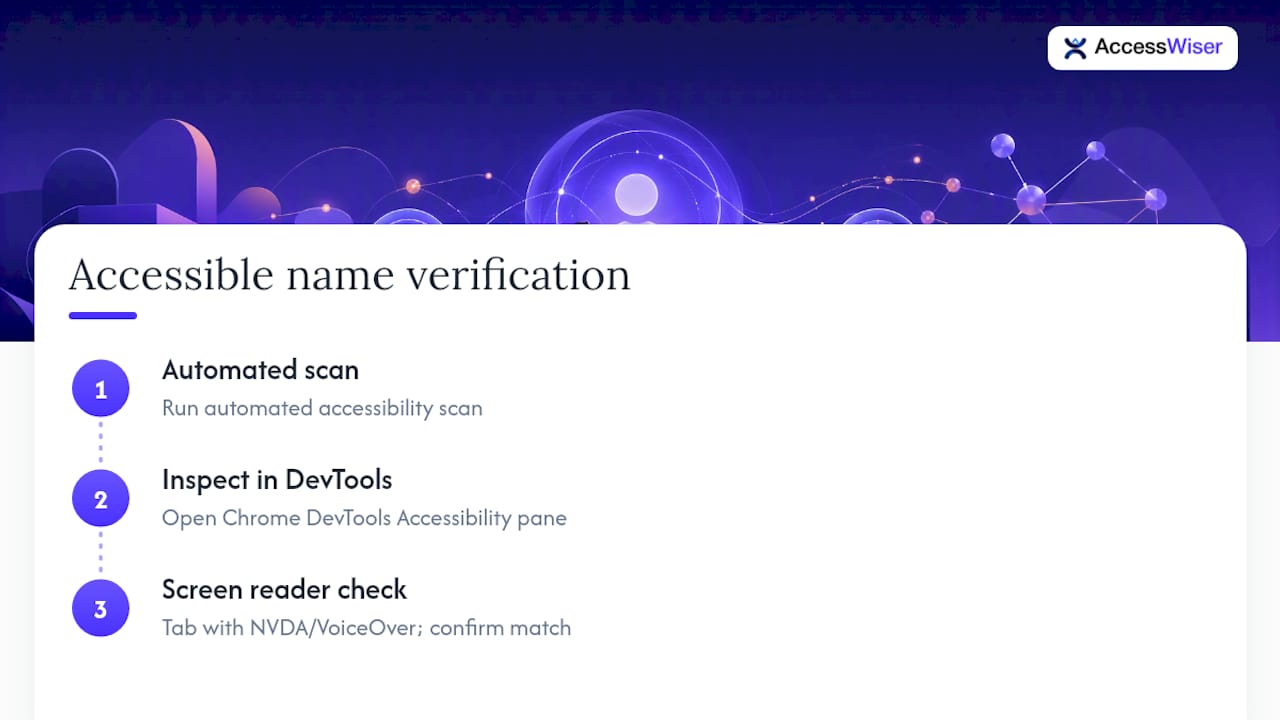
Automated scans are a solid first pass, but manual verification is what confirms the name is not just present, but correct. Automated scans can flag element-level naming mismatches and keep dated records of findings so your remediation work is documented, not just fixed and forgotten.
What Should Teams Change About Their Workflow?
Treat visible text as your single source of truth whenever it exists. Wire accessible-name checks into your CI pipeline and pull request reviews so naming issues surface before they ship, not after a complaint. And when aria-label truly is the right call, leave a comment explaining why. Future maintainers shouldn’t have to guess whether it was intentional.
— The AccessWiser Team
Automate the Naming Checks Your Team Keeps Missing
Reading through precedence rules is one thing. Catching every mismatched aria-label across a 400-page site by hand is another. Automated scanning tools can check pages against accessibility success criteria, flag accessible-name conflicts down to specific elements and criteria, and provide plain-language guidance for fixing code permanently instead of patching it at runtime. Keeping dated records of scans and fixes helps back up your compliance program beyond just fixing issues.
If you’re managing naming consistency across a growing site, start with the Starter plan at $24 per month or explore the full solutions overview to see how automated scanning pairs with scheduled re-checks and an accessibility statement generator. A 7-day free trial lets you run a real scan on your own pages before committing to anything.
Sources
FAQ
When should you not use aria-label?
Skip aria-label whenever visible text already describes the element, such as a heading, paragraph, or existing <label>. Overriding that content with a hardcoded string can desynchronize what sighted users see and what assistive technology announces, and it risks going stale if the visible text changes later.
When should I use aria-label?
Use aria-label when no visible text exists that could serve as the accessible name, like an icon-only button or a landmark region without a heading. It’s the right tool specifically for cases where visible text isn’t an option, not a general substitute for it.
Can I use aria-describedby alongside these attributes?
Yes. aria-describedby serves a different purpose. It adds supplementary description rather than the primary accessible name, so it can be paired with either aria-label or aria-labelledby without conflict. Just keep the description concise since screen readers announce it after the name.
What does the aria-labelledby attribute actually do?
aria-labelledby references the ID of one or more existing elements and concatenates their text to build the accessible name, and it takes the highest precedence among all naming sources. It’s the preferred choice whenever suitable visible text already exists on the page.
Does AccessWiser check for aria-label and aria-labelledby mismatches?
Yes. AccessWiser’s scans identify element-level accessible-name issues, including conflicts between aria-label and aria-labelledby. Pricing details for automated scanning and monitoring are available on the pricing page.
Articles on this blog are general information about web accessibility, not legal advice. Laws change and their application depends on your specific situation — for decisions with legal consequences, consult a qualified legal professional.
Articles on this blog are general information about web accessibility, not legal advice. Laws change and their application depends on your specific situation — for decisions with legal consequences, consult a qualified legal professional.