See what’s blocking
people on your site
Scan a page and see the WCAG 2.2 AA issues our checks catch — each mapped to the success criterion it affects, with the exact element and a plain-language fix.
Automated checks find a portion of the issues on a page — the rest need a person. AccessWiser supports your accessibility work; it does not replace it. What AccessWiser does
- Findings mapped to WCAG 2.2 AA
- Section 508 & EN 301 549 flags
- Easy installation
One script tag. Works on the platform you already use.
Paste the snippet into your site’s template or tag manager and the widget loads on every page.


Find it, fix it, document it, re-check it
The same four steps every accessibility programme runs on. The fourth runs on a schedule your plan sets — it is not continuous monitoring.
- 01Find
Scan a page, see what actually fails
Every finding names the rule that fired, how badly it affects people, the WCAG 2.2 success criteria it maps to, and the one element it happened on. Where a browser is available the page is rendered first — real colours, real focus order, a 320px reflow pass — and each scan records which analysis produced it.
IllustrativeFindings4 to review2 need a person- SeriousWCAG 1.4.3 AA
Text has low contrast against its background
.hero__subtitle - CriticalWCAG 1.1.1 A
Image has no alternative text
img.card__thumb:nth-of-type(2) - SeriousWCAG 2.4.4 A
Link has no discernible name
footer a.social--x - ModerateWCAG 3.3.2 A
Form field has no associated label
#newsletter-email
- 02Fix
Plain-language guidance, on the exact element
Each finding comes with the offending markup and what to change about it, in words a developer can act on without reading the specification first. Suggestions are exactly that — AccessWiser never edits your site for you, so nothing changes until someone ships it.
IllustrativeCriticalWCAG 1.1.1 ASection 508Image has no alternative text
On this element<img class="card__thumb" src="/kids-helmet.jpg">Suggested changeAdd an
altattribute describing what the image shows. If it is decorative and repeats nearby text, usealt=""so screen readers skip it. - 03Document
A dated record of the work you have done
Scans are kept and timestamped, so the history of what you found, what you fixed and what is still open is a record rather than a memory. When you are ready, generate an accessibility statement from it. Publishing the statement is a good-faith measure, not a defence, and it is not legal advice.
IllustrativeRemediation record- 12 AugAlternative text added to product thumbnailsFixed
- 12 AugContrast raised on the hero subtitleFixed
- 05 AugSocial links still missing accessible namesOpen
- 05 AugNewsletter field labelNew
- 04Re-check
Scheduled re-checks
Once a full site scan finishes, the pages it scanned are re-checked automatically, up to your plan's page limit (shared evenly between your sites) and on the cadence your plan sets: monthly on Starter and weekly on Basic, Pro and Business. Re-checks do not use your scan allowance or credits. You get an email when a re-check finds barriers that are new or worse than the run before; the first one only sets the baseline. It is a schedule, not a watch — a barrier introduced on a Tuesday is not looked for until the next run.
IllustrativeRe-check historyCadence set by your plan- Run 1Baseline set for the pages a full site scan checkedNo email
- Run 2Contrast fixed on the hero subtitleNo email
- Run 3Checkout email field has lost its labelEmailed
Scheduled re-check — not continuous monitoring. Between two runs, nothing is watching.
See each finding on the page it came from
Every scan keeps a picture of the page as it was when it ran, and draws what it found onto it. Click a finding to find it on the page, or a box on the page to read the finding — then switch the same capture to two more views of how the page is put together.
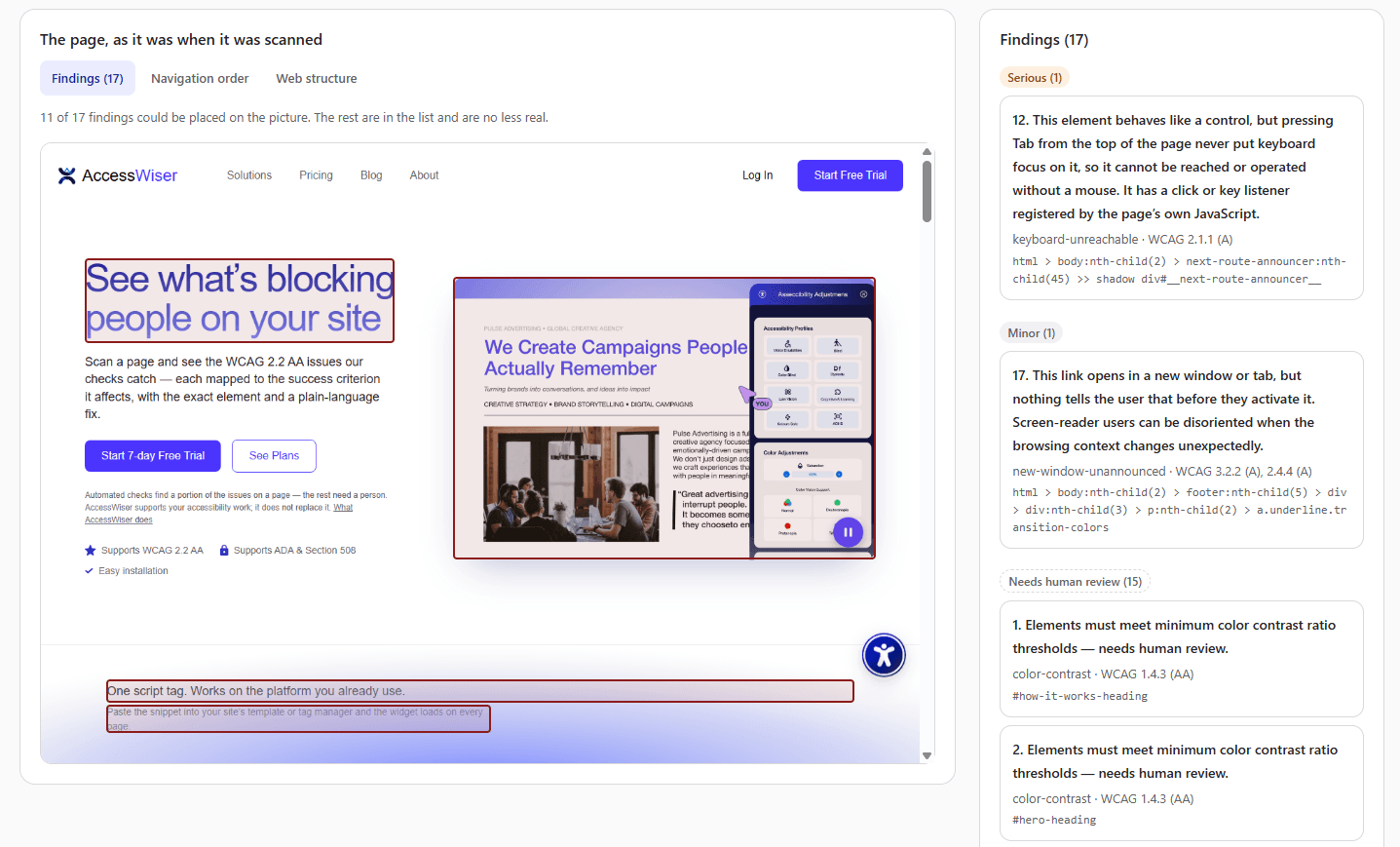
And two more views of the same capture
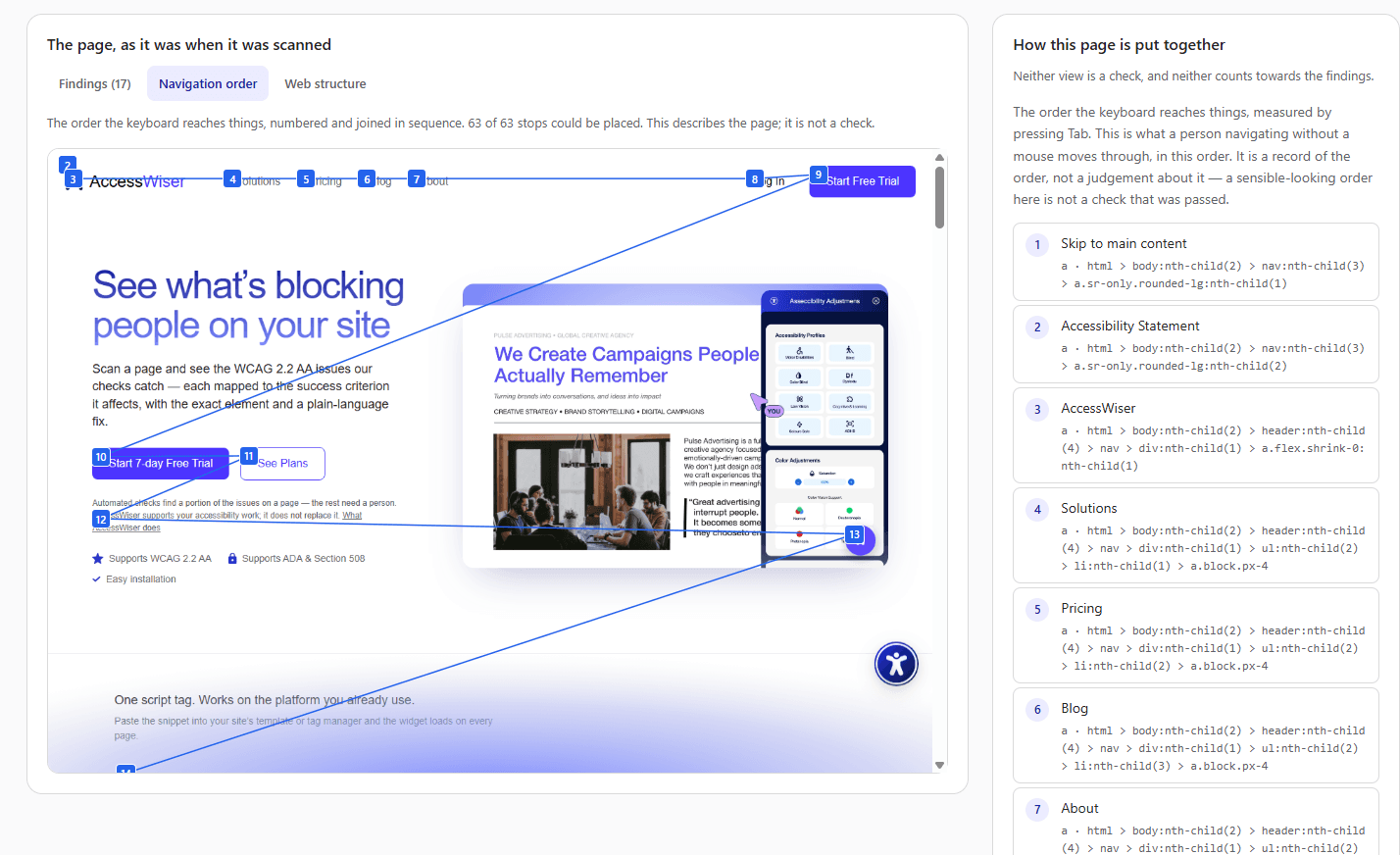
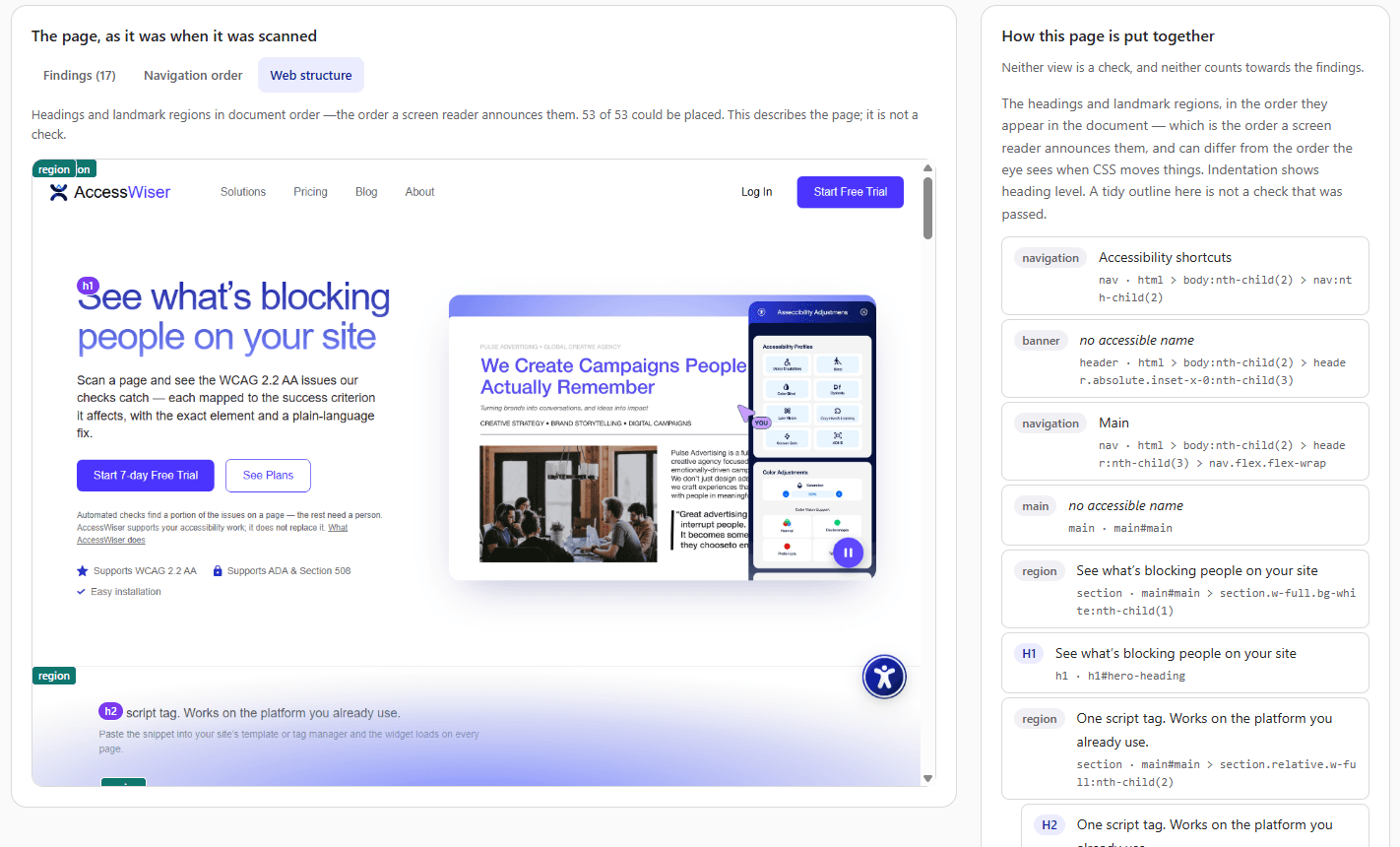
Both describe how your page is put together. Neither is a check, and a tidy result in either is not something the scan has passed.
Automated checks find some of the barriers on a page, never all of them, and they cannot replace testing by a person using a screen reader or other assistive technology. A scan report is a record of what these checks found — it is not a determination that your site meets WCAG, the ADA, Section 508 or the EAA.
Real features that help real people
Turn on the Assist panel and your visitors can adjust your site to suit them. It is off until you switch it on, and every visitor chooses their own settings.
Visual support
Brightness, contrast, and theme controls for comfortable viewing. Light, dark, or high contrast modes reduce eye strain.
Reading tools
Dyslexia-friendly fonts, text sizing, and reading guides make content easier to follow. Adjustable spacing improves comprehension.
Browsing comfort
Reading masks, reading guides, an enlarged cursor and reduced motion help visitors browse more comfortably. The widget's own panel is fully keyboard operable — it does not change how the rest of your site responds to a keyboard.
Read Aloud
Optional text-to-speech reads page content aloud for visitors who prefer to listen. It complements — it doesn't replace — a visitor's own screen reader.
Color vision support
Specialized filters for deuteranopia, protanopia, and tritanopia help colorblind users see content accurately.
Calmer motion and colour
Pauses animations and lowers colour saturation, so moving and high-intensity content is calmer. It cannot detect or block flashing content, so it is not a substitute for avoiding flashing content on your site.


On-page translation into 100+ languages is available on eligible plans.
Plans from $24 a month
Every plan includes the widget, the scanner and one domain. Start with a 7-day free trial.
Starter
$24per month
Save $48 paying yearly
- 15 pages re-checked monthly
- 5 specific page scans a month
- 1 full site scans a month
- 1 domain included
Basic
$49per month
Save $98 paying yearly
- 30 pages re-checked weekly
- 20 specific page scans a month
- 3 full site scans a month
- 1 domain included
Pro
$119per month
Save $238 paying yearly
- 100 pages re-checked weekly
- 50 specific page scans a month
- 10 full site scans a month
- 1 domain included
Business
Custom
Priced to your setup
- 200 pages re-checked weekly
- 80 specific page scans a month
- 20 full site scans a month
- 1 domain included
A specific page scan checks one page you name. A full site scan checks every page it can reach from an address you give, in one dated run. The per-page checks are the same in both — a full site scan reaches further, it does not look harder at any one page. Extra domains are extra units of the same plan.
No tool makes your site compliant. Ours included.
We would rather be clear than impressive. Here is what AccessWiser does for your website, and what it cannot do on its own.
What it does
- Finds code-level accessibility issues on your real pages, each mapped to the WCAG 2.2 success criterion it affects and the element it happened on.
- Gives plain-language guidance on how to fix them, and keeps a dated record of the work you have done.
- Re-checks the pages your full site scans reach on a schedule your plan sets, and emails you when a re-check finds barriers that are new or worse than the run before. This is a scheduled re-check, not continuous monitoring.
- Adds an optional panel of assistive display tools — larger text, higher contrast, reading aids, colour-vision filters — that your visitors turn on for themselves.
- Provides on-page translation into 100+ languages on eligible plans.
What it does not
- It does not rewrite your website's source code, semantics, or ARIA, and it does not by itself make your site compliant with the ADA, WCAG, Section 508, the EAA, or any other law.
- It cannot replace content only you can author — meaningful alt text, video captions, a logical heading structure, or accessible custom components.
- Automated scanning catches only a portion of accessibility issues; the rest require human and screen-reader testing.
- It is not legal advice and does not provide protection from, or immunity to, accessibility lawsuits.
Accessibility is a right, not a feature
Accessibility law around the world points at the same place: the Web Content Accessibility Guidelines. AccessWiser helps you work toward WCAG 2.2 AA, and we update our tooling as the guidelines evolve.
ADA
Equal access in the United States
Section 508
US federal government services
WCAG 2.2
The guidelines the others point at
EN 301 549
The European standard
EAA
EU products and services
AODA
Ontario, Canada
ACA
Federally regulated Canada
Equality Act 2010
Disability rights in the UK
These are laws that reference WCAG — not certifications, and not a checklist AccessWiser tests you against. Our findings map to WCAG 2.2 success criteria, with Section 508 and EN 301 549 noted where they apply.
Find out what is blocking people on your site
Start a 7-day free trial, add your site, and scan a page to see what comes back.